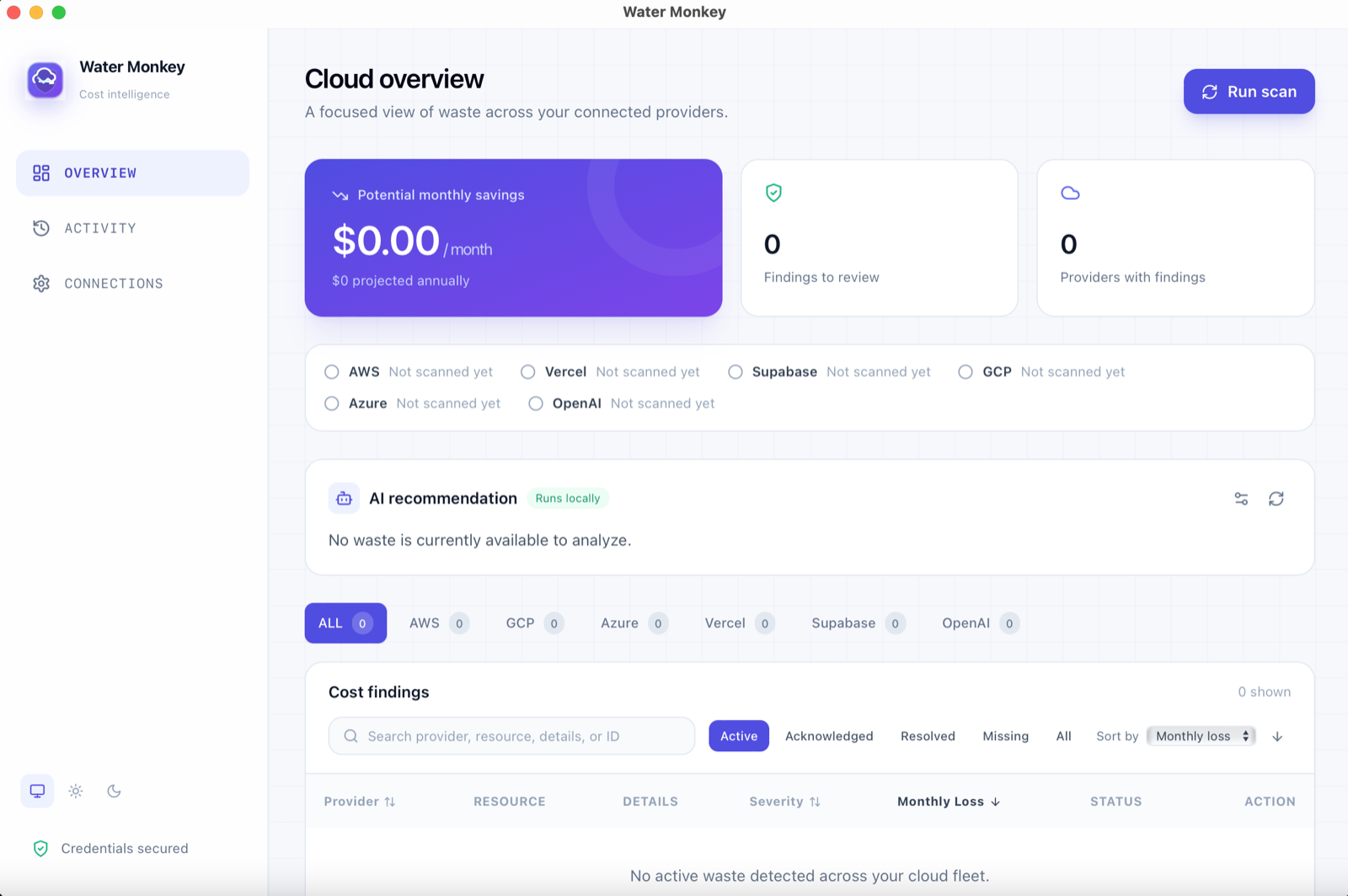
Cloud bills grow in quiet ways. You delete a server and its 500 GB disk stays behind. You try a hosting project once and forget it. An API key starts costing twice what it used to. None of it is hard to fix. The hard part is noticing, because the evidence is spread across AWS, Google Cloud, Azure, Vercel, Supabase, and OpenAI. Water Monkey checks all of them and puts the results in one list.
Why cloud waste is hard to spot
Each provider hides waste in a different place and calls it something different. On AWS it is an EBS volume with the status “available”. On Azure it is a managed disk with no owner. On Vercel it is a project with no recent activity. Billing pages show you a total, not the specific forgotten thing behind it.
You can find these by hand, but it means logging in to every console, switching regions, and remembering to do it again next month. That is the part I wanted to automate.
Why I built it to run on your computer
Most cost tools ask for access to your cloud account and run on their servers. For a solo developer or a small team, that is a lot to hand over just to find a few unused disks.
Water Monkey has no server. It runs on your computer and talks straight to each provider. Your keys sit in the operating system's own secure storage (Keychain on a Mac, Credential Manager on Windows, Secret Service on Linux), not in a file or a database. There is no telemetry, and the only network calls are the ones you trigger: a scan, a connection test, a delete, or an optional AI summary.
What it finds
| Provider | What it looks for | Can it act? |
|---|---|---|
| AWS | Unattached EBS volumes and unassigned Elastic IPs, in the regions you choose | Yes, after you confirm |
| Google Cloud | Unattached persistent disks and reserved static IPs that are not in use | Review only |
| Azure | Unattached managed disks and public IPs with no configuration | Review only |
| Vercel | Projects inactive past a threshold (60 days by default) | Yes, after you confirm |
| Supabase | Idle or paused projects | Opens the Supabase dashboard |
| OpenAI | Organization spend well above your recent baseline (twice the last 7 days' average by default) | Review only |
OpenAI is the odd one out. There is nothing idle to scan for, so it looks for a jump in spending instead.
Who it is for
- Solo developers and small teams who have a handful of cloud accounts and no dedicated FinOps person.
- Anyone doing a monthly clean-up after side projects, demos, and experiments pile up.
- People who do not want to hand over cloud access to a hosted tool just to find waste.
- Teams that want a shortlist to hand to whoever owns the bill, with a dollar figure and a reason attached to every line.
How a scan works
- Connect. Add a key for each provider on the Connections screen. The app tests it read-only and tells you whether it is valid, lacks permission, or was rate limited.
- Scan. Each provider is checked on its own, in the regions or zones you picked.
- Review. Findings land in one table with a monthly estimate, a severity, and a status. Search, sort, and filter as you like.
- Act or dismiss. Delete supported resources after confirming, open the provider dashboard, or acknowledge a finding you have decided to keep.
Each provider reports one of three outcomes: succeeded, failed, or skipped. A failed provider can be retried on its own without rerunning everything.
Numbers you can check
The estimates are not pulled from your real bill. They are simple calculations from a documented rate. Hover over any dollar figure and the app shows you the math. I would rather show a rough number with its working than an exact-looking one you cannot check.
| Provider | Default rate | Applies to | Editable? |
|---|---|---|---|
| AWS | $0.10 per GB-month | Unattached EBS volume | Yes |
| AWS | $3.60 per month | Unassigned Elastic IP | Yes |
| Vercel | $20 per month | Inactive project | Yes |
| Supabase | $25 per month | Idle or paused project | Yes |
| OpenAI | (today's spend − baseline) × 30 | Cost spike | Yes |
| Google Cloud | $0.04 per GB-month, $7.30 per month | Unattached disk, unused static IP | Not yet |
| Azure | $0.05 per GB-month, $3.65 per month | Unattached disk, unconfigured public IP | Not yet |
Actual billing depends on your region, disk type, and any discounts. Treat every figure as a way to decide what to look at first, not as an invoice.
Severity uses one rule for every provider: High at $50 a month or more, Medium at $10 or more, Low below that. That way a High from AWS and a High from Vercel mean the same thing.
Permissions: ask for as little as possible
Scanning only needs permission to look, so that is all the app asks for. Permission to delete is a separate thing you add yourself if you want it. A key with scan-only access still works fully. You just get “Review” where a fully permissioned key would show “Resolve”.
| Provider | To scan | To delete (optional) |
|---|---|---|
| AWS | ec2:DescribeVolumes, ec2:DescribeAddresses | ec2:DeleteVolume, ec2:ReleaseAddress |
| Vercel | Read access to projects | A full-access token |
| Supabase | Permission to list projects | None, it links out |
| OpenAI | Organization admin scope to read costs | None |
| Google Cloud | roles/compute.viewer on the project | None |
| Azure | The Reader role on the subscription, for an app registration | None |
Careful with deleting
Right now the app can delete things on AWS and Vercel, and only after you confirm. Nothing destructive ever runs from a scan or from opening the app. For Google Cloud, Azure, and OpenAI it just tells you what it found. For Supabase it opens the project in Supabase's own dashboard so you can decide there. Deleting or pausing a project can go wrong in ways the app cannot check ahead of time, so I left those to you.
Two rules matter a lot here:
- A failed scan is not a fix. If a provider's API is down, the app keeps that provider's earlier results untouched. An outage should never look like the waste was cleaned up.
- A failed delete stays visible. The finding stays in the table and the provider's error message is shown. Common causes are a missing delete permission, a resource that changed since the scan (for example an EBS volume that became attached), or a network timeout.
If you are not sure whether an earlier delete worked, the Activity log records every attempt with its result, and the status filter lets you view resolved items.
Findings have a history
Instead of showing only the latest scan, the app keeps a record of every finding with a status:
| Status | What it means |
|---|---|
| Open | Reported by the provider and not yet dealt with |
| Acknowledged | You reviewed it and decided to keep it. This carries across scans, so you do not have to dismiss it again |
| Resolved | You fixed it through the app |
| Missing | The provider no longer reports it. It might have been deleted elsewhere, and the app does not claim it did it |
| Reopened | It was resolved or missing and has come back, which is worth a closer look |
The default view shows what is open or reopened. Everything else stays in history. Stored findings are capped at 500 and activity events at 250, with the oldest resolved items cleared first and anything still needing attention always kept.
How your credentials are protected
- Keys go into the operating system's keychain through Rust. They are never written to local storage, logs, or project files.
- The app window's security policy only allows connections to the providers' API domains and to a local address for Ollama. It cannot phone home to anything else.
- The connection test reports a fixed set of outcomes: valid, invalid credentials, insufficient permissions, rate limited, network error, and a few more. It never echoes a provider's raw response back to the screen.
- Azure uses a proper app registration (tenant ID, client ID, and secret) with the Reader role, not a user account.
Optional AI summary
If you run Ollama on your machine, Water Monkey can ask it for a three-bullet summary of your findings. It defaults to localhost:11434 with the llama3.2:1b model, and you can change either or turn the whole thing off. It only sends the kind of resource, the estimate, the severity, and whether it can be actioned. Never your keys, account IDs, or raw provider responses. The reply is shown as plain text, because a model's output is not something to trust with your interface.
How it is built
The screens are React. The parts that need to talk to your operating system, like the secure key storage, are written in Rust and packaged with Tauri. The scanners use each provider's own API, and shared rules such as severity live in one small file so every provider is judged the same way.
Saved data is versioned and migrated forward, so an update does not break your history. Scan settings, such as regions and pricing assumptions, are local configuration and are not stored with your keys.
Testing
The interface has 80 tests, covering the scanners, the finding history, severity, credentials, the delete safeguards, and the dialogs. The Rust side has 14, and they run against a fake server instead of real accounts. Four of those need a real system keychain, so they only run on a machine that has one, and my automated checks skip them for now.
Run it yourself
You need Node.js 18 or newer, the Rust toolchain, and the platform dependencies for Tauri 1. Ollama is optional.
git clone https://github.com/deeneshchowdhary/watermonkey.git
cd watermonkey
npm install
npm run tauri dev
Run the tests with npm test and cargo test --manifest-path src-tauri/Cargo.toml --locked.
Where it stands and what is missing
Water Monkey is at v0.1.0. It is open source under AGPLv3, and there is a commercial license for companies that need different terms.
It is not a finished product. Before I call it 1.0, it needs signed installers, so macOS and Windows do not warn people about an unknown developer, plus an auto-updater I have tested against a real older version. The steps are written down, but I have not set up the signing accounts yet. Other known gaps:
- Google Cloud and Azure pricing rates are fixed and cannot be edited in the app yet.
- Only AWS and Vercel have delete support. Everything else is review-only or a link out.
- Estimates are approximations. There is no live billing lookup by design.
Frequently asked questions
What is Water Monkey?
Water Monkey is a free, open-source desktop app that scans your AWS, Google Cloud, Azure, Vercel, Supabase, and OpenAI accounts for spending on things you are not using, such as unattached disks, unused IP addresses, idle projects, and sudden cost spikes.
Does Water Monkey send my cloud credentials to a server?
No. It has no backend. Scans run from your own computer straight to each provider, and your keys are stored in the operating system keychain, not in a file or database.
What permissions does it need?
Read-only permissions to scan. For example, AWS needs ec2:DescribeVolumes and ec2:DescribeAddresses. Delete permissions are optional and only needed if you want to remove AWS or Vercel resources from inside the app.
Are the dollar amounts my real bill?
No. Each estimate is a documented rate applied to the resource, such as $0.10 per GB-month for an unattached EBS volume. You can hover over any figure to see the calculation. Treat them as a way to decide what to review first, not as an invoice.
Can Water Monkey delete resources for me?
Only for AWS (EBS volumes and Elastic IPs) and Vercel (projects), and only after you confirm. Google Cloud, Azure, and OpenAI findings are review-only, and Supabase findings open the project in the Supabase dashboard.
Is Water Monkey free and open source?
Yes. It is licensed under AGPLv3, so you can use, modify, and self-host it. A commercial license is available for organizations that need different terms.
What platforms does it run on?
It is built with Tauri and Rust, so it targets macOS, Windows, and Linux. Right now you run it from source. Signed installers and an auto-updater are planned but not set up yet.